Men's Laptop Backpack: Sleeve Size, Water Resistance and Fit
Pick a men's laptop backpack by four checks: sleeve size for your screen, water resistance of fabric and zippers, torso fit, and the capacity you need to carry.
The Kesslund Team
November 15, 2026 · 9 min read
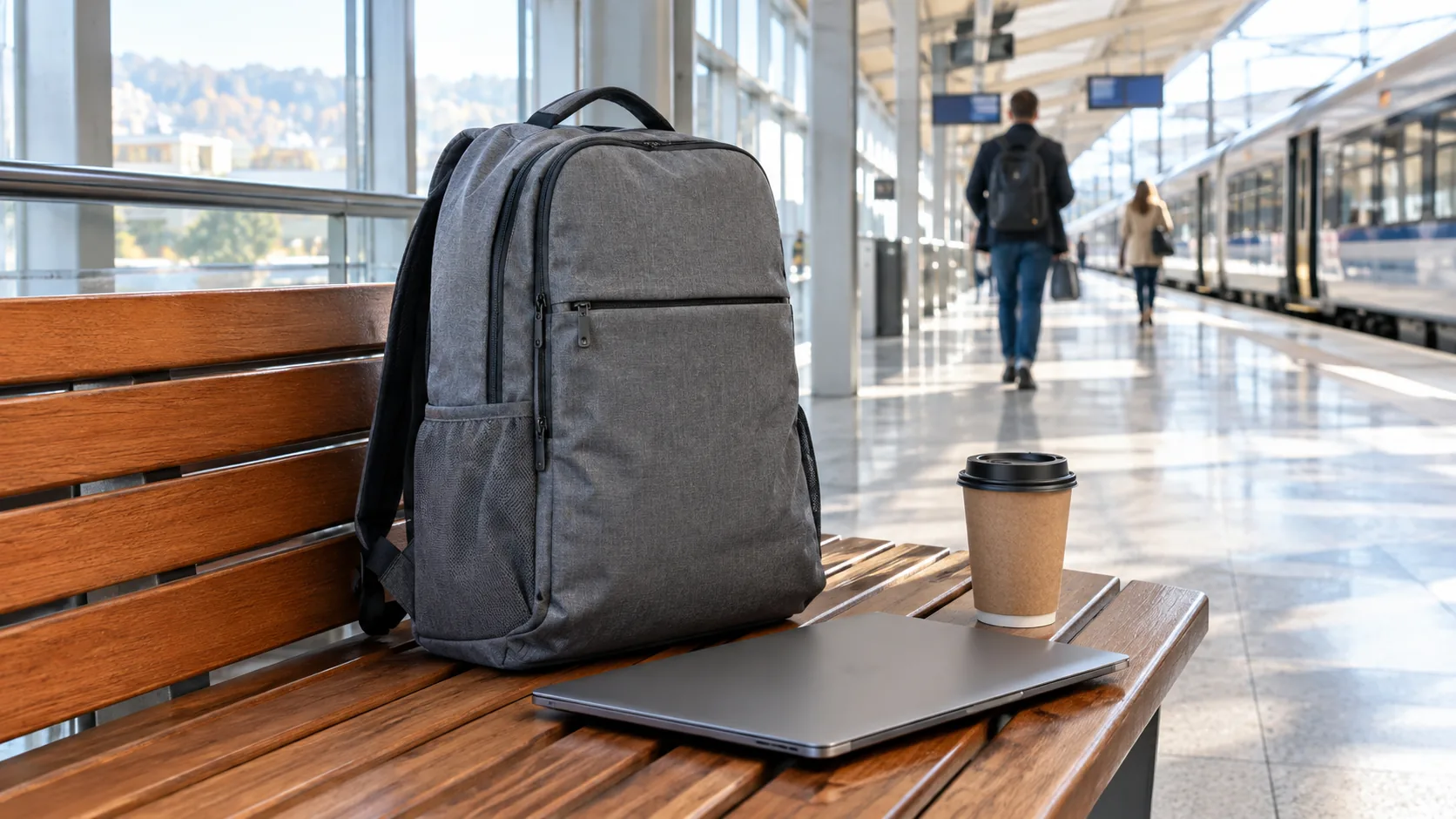
A good men's laptop backpack has a padded sleeve cut for your screen size, fabric and zippers that shed rain, straps that match your torso length, and a capacity that fits your daily load without sagging. Check those four things in order and most of the shopping is done. This guide gives you the measurements, the table and the checklist to do it.
It skips ranked roundups on purpose. Whether a pack suits you depends on your laptop, your commute and your back, so each step below is something you can verify with a tape measure and a scale.
The four-check method for a men's laptop backpack
Work through these in order, because each one narrows the field for the next.
- Measure your laptop and match it to the sleeve.
- Decide how much weather the pack has to handle.
- Check the torso length and strap design.
- Choose a capacity and a compartment layout for what you carry.
Leather, nylon, polyester and Oxford fabric are all used for these packs. Material changes how the bag looks and how it handles rain, but the four checks apply to every one of them.
Step 1: Match the laptop sleeve to your machine
The screen size printed in the specs is only a diagonal. What matters is the width, depth and thickness of the laptop itself, plus a little room for a case or sleeve if you use one. Measure the closed laptop with a tape, then compare it to the internal sleeve dimensions on the product page.
What to look for in the laptop compartment
- A dedicated laptop compartment separate from the main compartment, so the laptop does not press against a water bottle or a charger brick.
- Padding on the back and sides of the sleeve.
- A sleeve that sits slightly above the bottom seam, so the laptop does not take the hit when you set the pack down.
- A pocket or strap that holds the laptop in place against the back panel.
Sleeves are often labeled by screen size. Use the table as a starting point, then confirm against your own measurements.
| Screen size | Typical use | What to check |
|---|---|---|
| 13 to 14 inches | Thin travel and office machines | A sleeve that is not oversized, so the laptop does not slide around |
| 15 to 16 inches | Work and creative laptops | Sleeve depth and padding at the bottom edge |
| 17 inches and up | Gaming and workstation laptops | Sleeve width, strap load and total pack depth |
If you carry a 17-inch machine, shop for packs that name that size. A pack listed for a smaller screen may not close around a larger one. If you also carry a tablet, look for a second padded slot instead of stacking both devices in one sleeve.

Step 2: Rate the water resistance honestly
Rain is the main threat to a laptop in a bag. Three parts decide how a pack handles it: the fabric, the zippers and the seams. A pack can have a coated fabric and still let water in through an open zipper track.
Fabric
Tightly woven synthetic fabrics such as Oxford weave shed light rain, while loose cotton canvas soaks up water. A coating or laminate adds resistance. Leather handles a passing shower but can stain or stiffen when it dries, so it needs conditioning on the schedule in the care section below. Read the product page for the actual finish instead of guessing from the look of the fabric.
Zippers and seams
Exposed zipper teeth are a common entry point. Covered zippers, a storm flap or a coated zipper track all help. Seams that are taped or welded have fewer gaps than plain stitched ones.
A simple rain check
- Empty the pack and place a dry paper towel inside the laptop compartment.
- Close the zippers and spray the outside with a hose on a light setting until the fabric is wet all over.
- Open the compartment and look at the towel. Any damp spot shows where water got in.
If you commute on foot, by bike or on a train platform, add a separate rain cover or a dry bag liner for heavy weather. Be cautious with any claim of full water protection unless the product page spells out how the pack was built.
| Weather feature | What it does | Where to check it |
|---|---|---|
| Coated or tightly woven fabric | Sheds light rain from the outer surface | Material line on the product page |
| Covered zippers | Shields the openings from direct spray | Photos of the zipper area |
| Taped or welded seams | Closes gaps along stitching | Construction notes |
| Rain cover or liner | Adds a second layer in heavy weather | Included in the box, or bought separately |
Step 3: Judge torso fit and strap design
A laptop is dense, so the weight sits in the back panel. If the straps and back panel do not match your torso length, the pack hangs low and pulls on your shoulders. Fit matters for a daily commute as much as for a long trip.
Measure your torso
Find the bony bump at the base of your neck, then measure down your spine to the level of your hip bones. Compare that number with the size guidance on the product page. If the pack does not list a torso range, look at the photos: the bottom of the pack should sit around your lower back, not on your hips.
Straps and back panel
- Padded shoulder straps wide enough to spread the load across the shoulder.
- A sternum strap or waist belt for heavier loads.
- Ventilation channels or an air-flow back panel if you walk long distances.
- Adjustable compression straps to pull the load close to your back.
Some women's models are cut with a shorter torso and narrower strap spacing. If you shop for a women's laptop backpack, or you have a smaller frame, apply the same torso measurement and check the strap spacing. A unisex pack can fit when the torso range matches.
Load the pack with your usual items and walk with it before you decide. If the shoulder straps dig in, lighten the load or move heavy items closer to your back.
Step 4: Pick a capacity and compartment layout
Capacity is listed in liters. A smaller pack keeps the laptop near your back and limits what you can overpack. A larger one holds a change of clothes or a lunch but adds weight as you fill it.
| Capacity range | Carries | Good for |
|---|---|---|
| Around 15 to 20 liters | Laptop, charger, notebook, small bottle | Short office commutes |
| Around 20 to 30 liters | Laptop, tablet, charger, lunch, jacket | Daily work and campus |
| 30 liters and up | All of the above plus a change of clothes | Overnight trips and flights |
These are planning ranges, not rules, so check the liter figure on the product page against your own packing list. Lay out your daily items on a table, then see whether they fit inside the pack volume you are considering.
Compartments that earn their space
- A quick-access pocket for a phone, keys and a transit card.
- A separate pocket for chargers and cables.
- A side pocket for a water bottle, so liquids stay away from electronics.
- A hidden pocket against the back panel for a passport or wallet.
- Internal organization panels, or packing cubes you add yourself.
More compartments help only if you will use them. Otherwise they add stitching, weight and zippers to check for rain entry.
A commuter and travel pack that fits the checklist
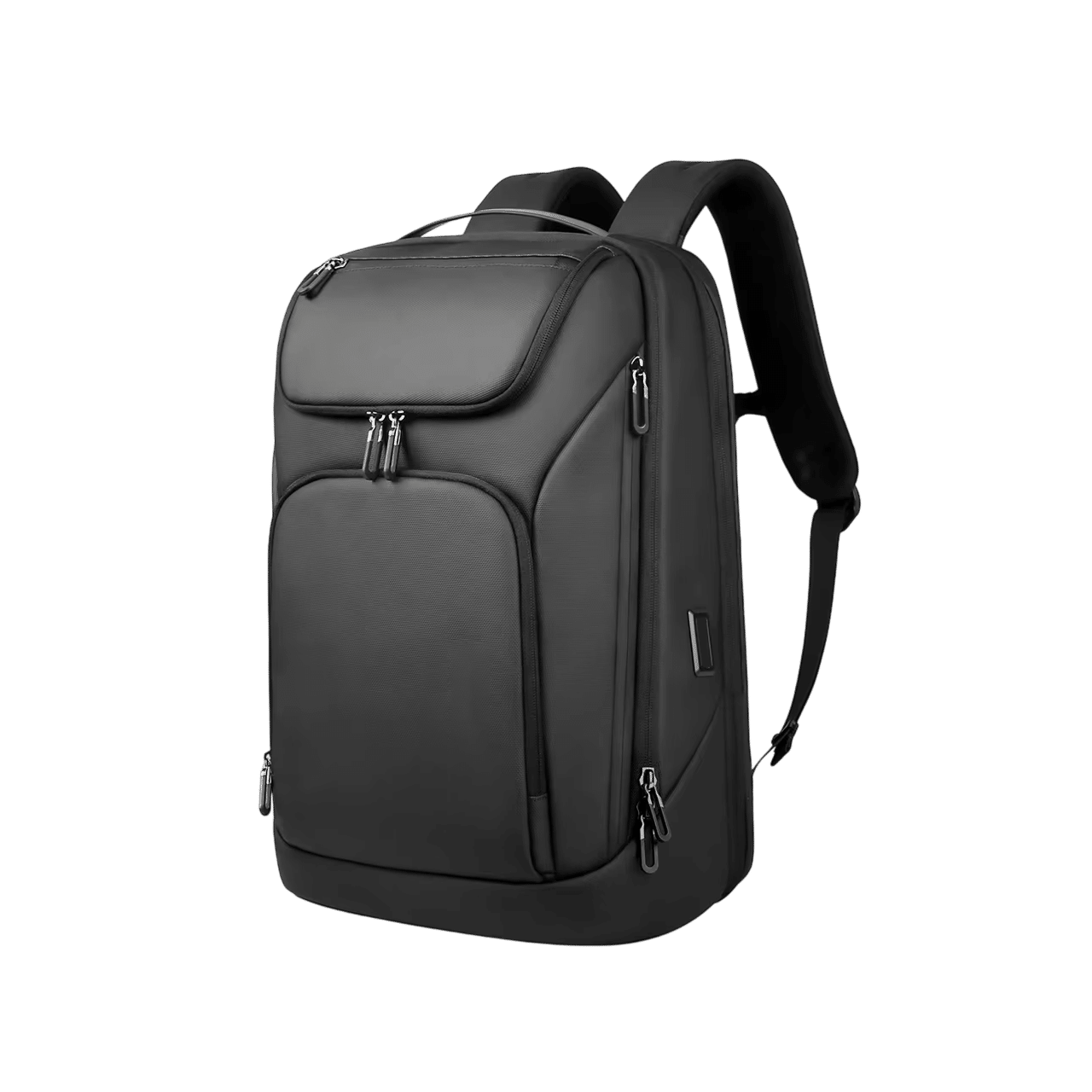
If you carry a large laptop and want the contents sorted, the Oxmere is built around that. It uses embossed Oxford fabric on the outside, and it has seven compartments that hold a laptop with a 17.3-inch screen, a tablet and everyday gear, each in its own spot.
For travel days, a back sleeve slides over a suitcase handle for airport transit. There is also a hidden back-panel pocket for a passport. An air cushion belt system lets air flow across your back, and the layered build is meant to spread the load.
The outer USB port works with your own power bank: put the bank in the inner pocket, then plug your phone cable into the port on the outside. The box holds the backpack, an emergency SOS whistle and a protective packaging box. Read the product page for the full dimensions before you compare against your laptop.
 In this guideOxmere$159.99View
Match the pack to how you use it
The same four checks shift in weight depending on where the pack goes. Use this table to decide which one to prioritize.
| Use | Prioritize | Watch for |
|---|---|---|
| Office commute | Slim profile, padded sleeve, clean look | Too many pockets that make the pack bulge |
| Work travel | Suitcase sleeve, hidden pocket, organization | Total weight at airline limits |
| Campus or study | Capacity for books, a bottle side pocket | Overloading the laptop sleeve with books |
| Bike or wet climate | Coated fabric, covered zippers, rain cover | Dark fabric with no reflective trim |
Leather or fabric
A leather laptop backpack looks formal and holds its shape, but it is heavy and needs conditioning. Vegan leather weighs less, though coatings can wear at the corners. Synthetic fabric packs can be wiped down with a damp cloth. Choose by how you carry and how much weight you will accept.
For outdoor packs built around hiking rather than office use, see Day Hiking Backpack: How to Choose Size, Fit and Features. It covers torso length and hip belts in more depth. You can also browse the full Backpacks & Hydration collection.
Field note
Weigh your loaded pack on a bathroom scale before you commit to a size. A larger pack only gets heavier once you fill it, so weigh the load you actually carry.
Common mistakes and a care schedule
Mistakes to avoid
- Buying by screen size alone and skipping the sleeve dimensions.
- Trusting a water-resistant label without checking zippers and seams.
- Ignoring torso length, then blaming the straps for a heavy feel.
- Choosing the largest capacity and filling it.
- Storing the laptop loose in the main compartment next to a bottle.
Care schedule
- Weekly: empty the pockets, shake out crumbs and check the zippers for grit.
- Monthly: wipe the outside with a damp cloth and let the pack air dry fully before closing the compartments.
- After rain: open every pocket and dry the inside before the next trip.
- Each season: check straps, stitching and the sleeve padding for wear. Condition leather as the maker instructs.
Follow the care label on your pack. Do not machine wash a padded laptop pack unless the manual says you can.
Quick checklist before you buy
- Laptop width, depth and thickness measured and compared with the sleeve.
- Fabric, zippers and seams checked for the weather you face.
- Torso length measured and matched to the pack size.
- Capacity in liters compared with your packed items.
- Pockets for charger, bottle and valuables confirmed.
- Care needs of the material accepted.
A good backpack for laptop carry is one where all six boxes are checked. If one fails, move to the next option rather than adjusting your habits to the bag.