Women's Commuter Backpack: Fit, Laptop Sleeve and Weather Checks
A women's commuter backpack should fit your torso, hold your laptop in a padded sleeve and shed light rain. Use these steps and checklists to pick one.
The Kesslund Team
November 10, 2026 · 6 min read

A women's commuter backpack works when three things line up: the back panel matches your torso length, the straps sit clear of your neck and chest, and the laptop sleeve fits your device with padding on all sides. Add a water-repellent shell and organized pockets, and the bag suits a daily train, bus, walk or bike ride.
This guide walks through fit first, then the laptop and weather checks, then packing and care. Use the tables as a shopping checklist.
Start with fit: torso length, not height
Backpack fit depends on the length of your torso, not how tall you are. Two people of the same height can need different back panels. A pack that is too long rides low and pulls on your lower back, and one that is too short leaves the load hanging from your shoulders.
How to measure your torso
- Tilt your head forward and find the bony bump at the base of your neck (the C7 vertebra).
- Place your hands on your hip bones with thumbs pointing back, and find the line between them across your spine.
- Have a friend measure along your spine from the neck bump to that line.
- Compare the number with the size chart on the product page, if one is given.
If a pack has no torso sizing, check that the top of the back panel sits below the neck bump and the bottom rests near your waist when the bag is loaded.
Strap shape and chest strap checks
Straps on a commuter backpack for women should leave room at the neck and clear the chest. Wide, flat straps that curve inward can crowd the collarbone area, while narrow, straight ones may slide off sloped shoulders. Try the bag on with the weight you carry daily.
- Straps start about 2 fingers away from your neck and do not slide outward.
- The chest strap sits across the upper chest, above the bust, and can be moved up or down.
- Shoulder strap edges do not rub on your jacket collar or blazer lapel.
- Straps with channels or padding leave airflow against your back on walks and bike rides.
Snug the shoulder straps first, then close the chest strap just enough to hold the straps in place. If you ride a bike, a chest strap holds the bag steady when you lean forward.
Straps with blazers and coats
Try the bag on over the outer layer you wear to work. Thick straps can bunch a blazer at the shoulder, and a slick coat fabric lets narrow straps slip. A professional style bag still needs to sit flat against your back, so check the look in a mirror from the side as well as the front.
Laptop sleeve checks
The laptop compartment decides whether a work bag is useful. Measure your laptop, then compare with the stated size on the product page, not the bag's overall capacity.
| Check | What to look for |
|---|---|
| Sleeve size | Stated to fit your screen size, with a little room |
| Padding | Padded walls and base for when you set the bag down |
| Position | Against the back panel, close to your spine |
| Separate pockets | Chargers and cables kept apart from the screen |
| Access | Zipper opens wide enough to slide the laptop out at a security line |
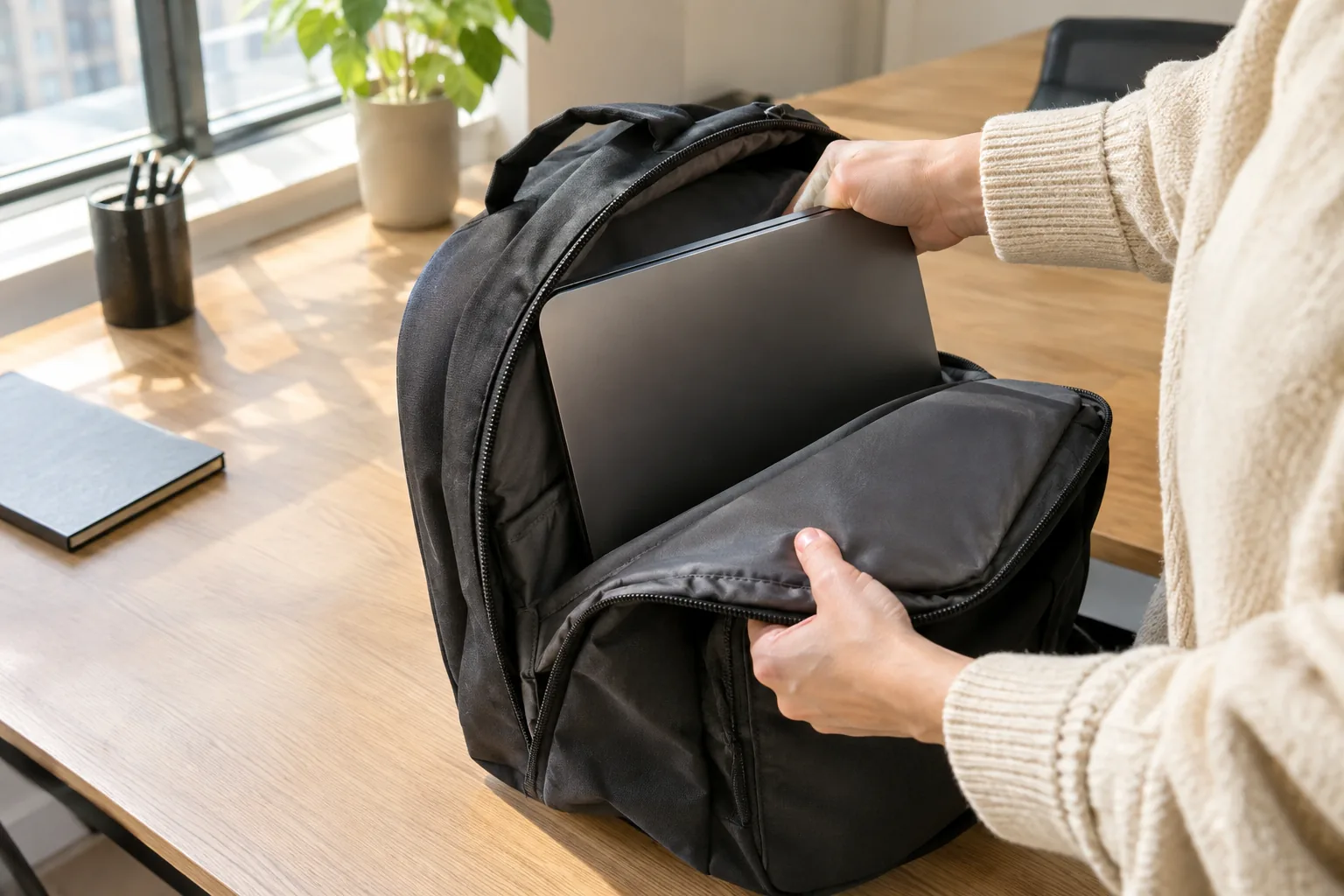
Keep the heaviest item, usually the laptop, near your back. Loose chargers pressed against the screen can leave marks, so give them a pocket of their own.
Rain and weather checks for a women's commuter backpack
Look at the shell fabric first. A water-repellent outer fabric sheds light rain, but zippers, seams and the base are where water can still get in. Think of the bag as rain-resistant, not sealed, and pack electronics in an inner pocket.
- Check the fabric description for abrasion resistance, since the base meets platforms and sidewalks.
- Look at the zippers: a covered or tight zipper line at the top helps in drizzle.
- For heavy rain, add a separate rain cover or a dry bag inside.
- Dry the bag open and away from direct heat after a wet commute.
Pockets, lunch space and organization
Your daily essentials need places of their own: laptop, phone, keys, wallet, charger, water bottle and lunch. If you want a lunch compartment, check whether the main section has room for a container, or whether an expandable section can hold it. Without a dedicated lunch pocket, use a small insulated pouch in the main compartment, away from the laptop.
An expandable base helps when your load changes between a slim workday and a weekend trip. A bag with a zip gusset can stay slim on weekdays and open up for a second bag worth of items, such as gym shoes.
A pack that matches these checks
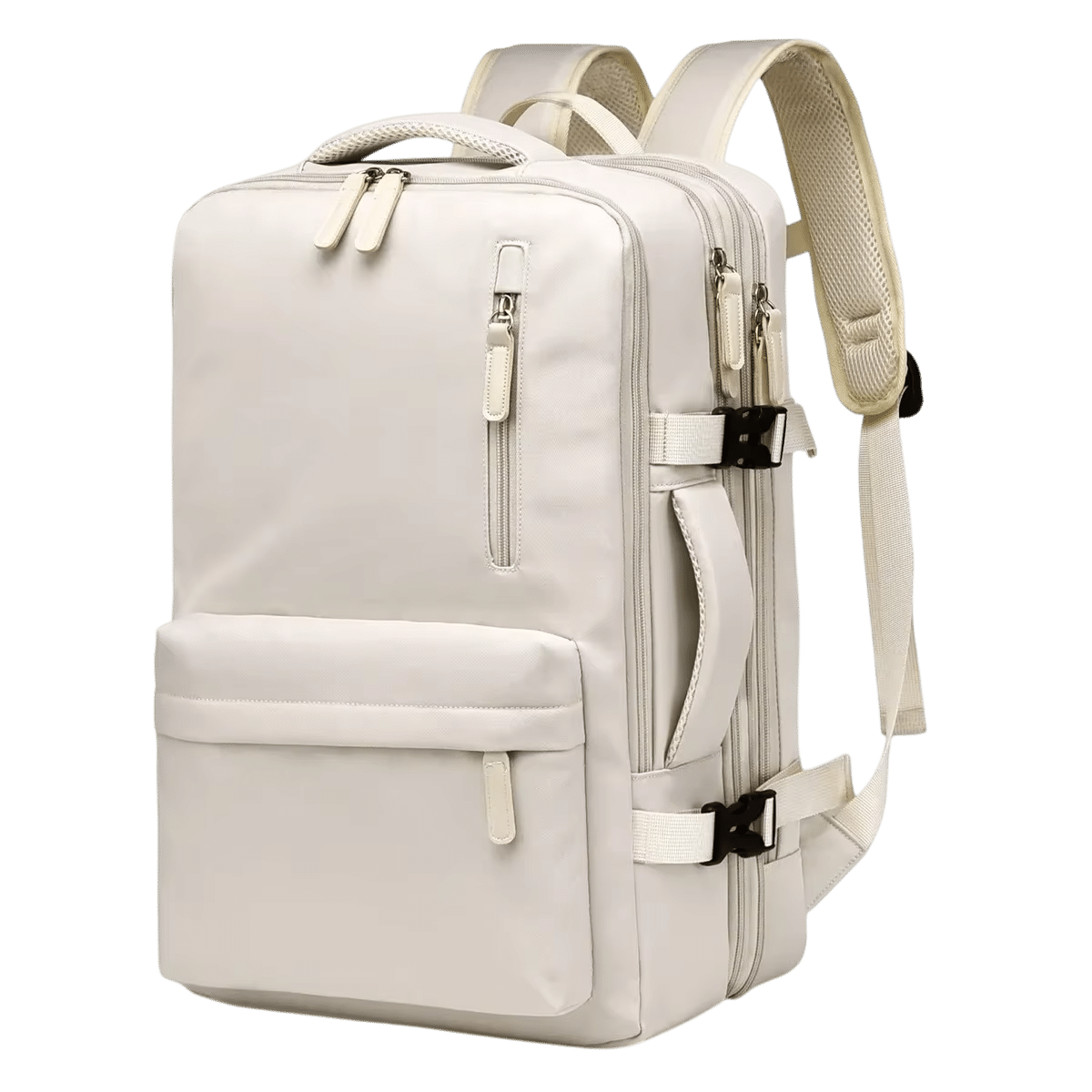
The VoyageCrest commuter backpack is one option to compare against the lists above. It has a padded compartment sized for a 15.6-inch laptop, separate pockets for cables and an external USB port linked to an interior pocket. A zip gusset adds 10 cm (about 4 in) of room: keep it closed for a slim commute or open it for extra items.
The straps have honeycomb channels and the back panel is raised, which leaves space between the pack and your back. The shell is abrasion-resistant, water-repellent fabric. The box includes the backpack, gift-ready packaging and a care card.
 In this guideVoyageCrest$119.99View

Match the bag to your commute
| Commute | Prioritize |
|---|---|
| Train or bus | Slim profile, top handle, laptop access at the top |
| Walking | Straps that clear the neck, airflow at the back |
| Bike | Chest strap, steady load, rain cover |
| Business trips | Expandable space, cable pockets, USB port |
If you want a closer look at bags for riding, browse the Ride Bags & Backpacks collection. If your commute is on foot, what is brisk walking explains pace and cadence for the walk itself.
Packing order for a commuter backpack
- Laptop in the padded sleeve against your back.
- Heavier items, such as a lunch container or shoes, low and centered.
- Charger and cables in their own pockets.
- Phone, keys and transit card in an easy-reach pocket.
- Water bottle in a side pocket, if the bag has one, so you can reach it without removing the bag.
Field note
Load the bag with your real daily items before judging fit. An empty pack hides strap slide, sagging and neck contact.
Common mistakes when buying
- Choosing by looks and ignoring torso length.
- Trusting overall capacity instead of the laptop sleeve size.
- Carrying a laptop with loose chargers pressed against the screen.
- Skipping the chest strap on a bike commute.
- Expecting a water-repellent shell to stay dry in a downpour.
Care schedule
Empty the pockets weekly and shake out crumbs. Wipe the shell with a damp cloth as needed and follow the care card or manual for cleaning. Let the bag dry open after wet days, and check zippers and strap stitching each month.