What Is a POV Camera? Uses, Mounts and How It Differs
A POV camera is worn or mounted so the lens shows what you see. This guide covers how it differs from an action camera, mounting options and how to film your first first-person video.
The Kesslund Team
October 18, 2026 · 7 min read · Updated October 30, 2026
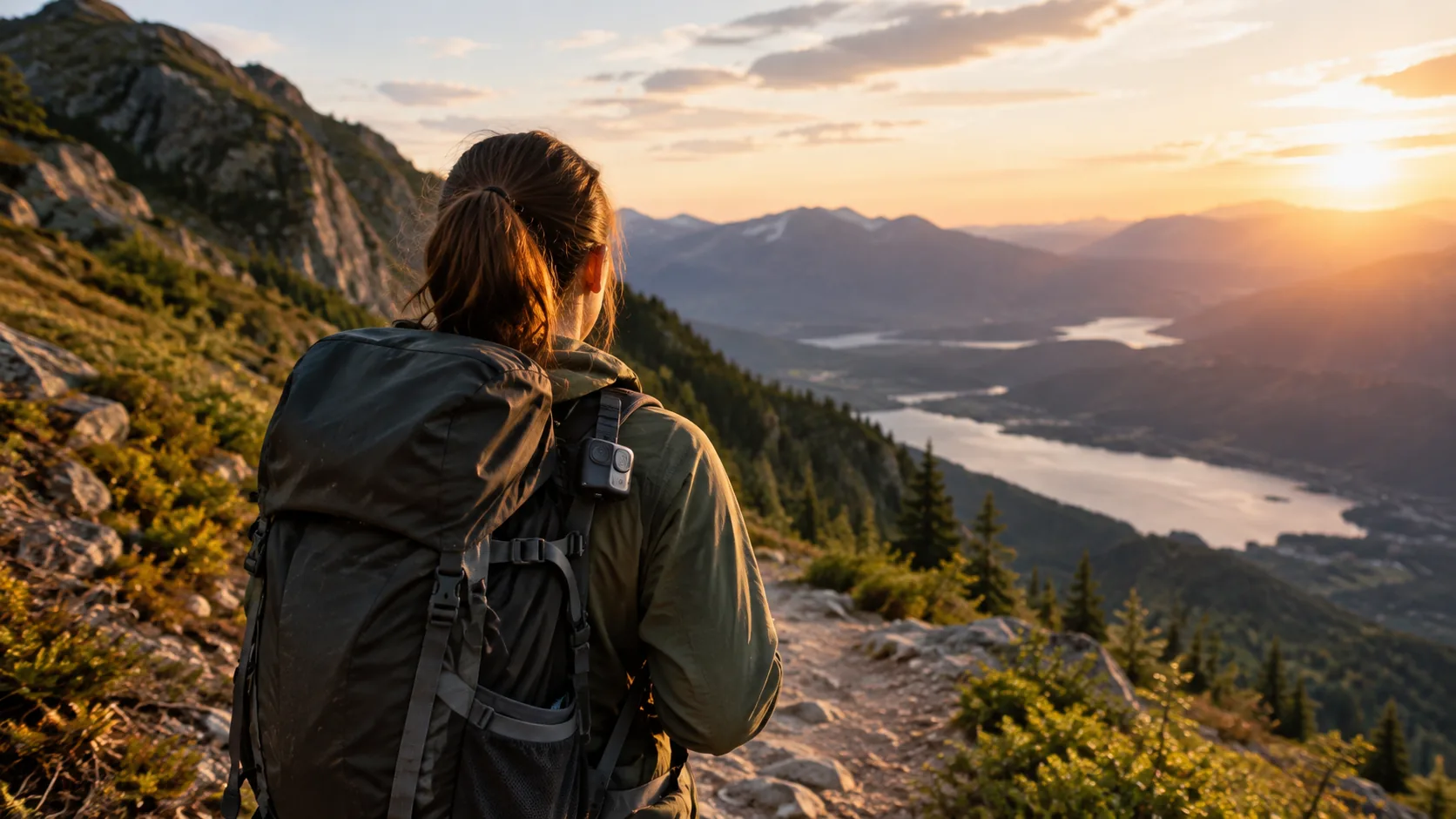
What is a POV camera? It is a camera worn or mounted so its lens points where you are looking, which records the scene from your own point of view. Helmets, chest harnesses, handlebars and pack straps are the usual spots, and the camera keeps your hands free while it records.
The term overlaps with "action camera," and many models do both jobs. This guide explains the difference, lists the mounting options, and walks through making your first first-person video.
What is a POV camera, and what does the view show?
POV stands for point of view. A POV camera records what you would see if your eyes were the lens: the trail ahead, your hands on the bars, the fish at the end of the line. The viewer is placed in your position instead of watching from the side.
That also answers what camera view means in filmmaking. A POV shot is one where the camera stands in for a person's eyes, while other angles, such as a wide establishing shot or an over-the-shoulder shot, watch the subject from outside.
POV cameras are typically small, light and built around a wide angle lens. A wide field of view, measured in degrees, fits more of the scene into the frame when the camera sits close to your body. The trade-off is that straight lines near the frame edge can look curved.
What a POV camera can include
- A compact body with a mounting point or clip
- Video recording, sometimes in 4K, saved to onboard memory or a memory card
- A wireless link, such as Wi-Fi, to a companion app on your smartphone
- A USB-C port for charging
- A mount or mounting kit
POV camera vs action camera
Both are small, mountable and made for movement. The difference is mostly about intent. A POV camera is defined by where it sits and what it shows: your viewpoint. An action camera is defined by the kind of footage: motion, outdoor conditions and rough use. A 4K action camera mounted on a helmet is also a POV camera.
| Point | POV camera | Action camera |
|---|---|---|
| Defined by | Where the lens points: your eye line | The kind of footage: motion and outdoor activity |
| Typical placement | Head, chest, bars, pack strap | Helmet, bars, boards, vehicles, tripods |
| Framing | Your hands and what is in front of you | You, your gear or the scene, from any angle |
| Shared features | Wide lens, mounts, app connection, USB charging | Wide lens, mounts, app connection, USB charging |
| Use it for | Rides, hikes, cooking, crafts, fishing, vlogs | Sports, travel, trail days, filming yourself |
When you shop, read the product page instead of the label. Check the video resolution, how the camera mounts, how it connects to your phone and what comes in the box.
Where POV cameras get used
- Cycling and mountain biking: mounted on a helmet or bars to record the line you ride.
- Hiking and camping: clipped to a pack strap to log a trail, a campsite setup or a summit.
- Fishing: a chest or hat mount shows the cast, the hookset and the landing.
- Cooking and crafts: a chest or overhead mount records your hands working at the counter or bench.
- Vlogging and travel: a camera worn at chest height records walks through a market or city.
- Sports and training: helmet or headband mounts record drills from the athlete's view.
If your camera rides on a hike, the pack fit decides where a chest or strap mount can sit. Our day hiking backpack guide covers fit and features that matter for where a strap clip goes.
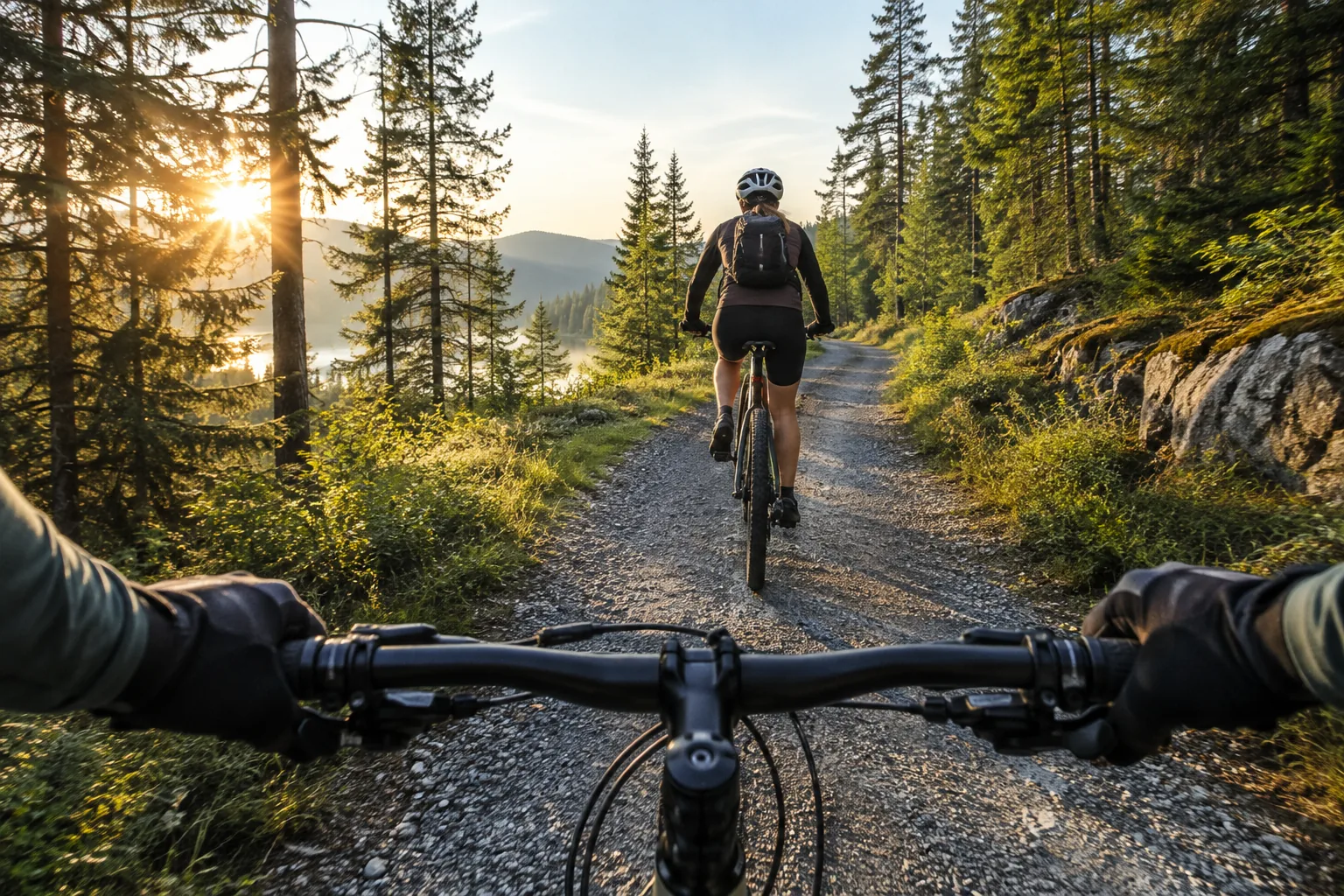
POV camera mounting options
The mount decides the footage. A camera at eye level shows what you look at and turns when your head turns. A camera at chest height shows your hands and the path ahead, and it stays pointed in the direction your body faces.
| Mount | What it shows | Good to know |
|---|---|---|
| Helmet | Head direction, close to your eye line | Fits cycling, climbing and trail days; use a mount made for your helmet |
| Handlebar | The front wheel, the trail, your hands | Shows the bike more than your view |
| Chest harness | Hands and the ground ahead | Holds steady while your head moves; the lens may need tilting |
| Pack strap clip | A chest-height view without a harness | Check that the clip holds on your strap width |
| Head strap or hat clip | True eye-line view | Useful for cooking, fishing and walking tours |
| Tripod or clamp | An overhead or fixed view of your hands | Suits workbench and kitchen scenes |
Mounting checklist
- Pick the mount that matches the view you want.
- Tighten every screw and clip, then tug the camera gently to check it holds.
- Aim the lens a little higher than you think; chest mounts often point at the ground.
- Record a ten-second test clip and check the framing before the real run.
- Follow the manual for your helmet and mount, and ask the helmet maker if you are unsure about attaching anything to it.
Some people also use mouth mounts for cooking or fishing shots. If you try one, use only a mount made for that purpose and follow its instructions.
A helmet option we stock
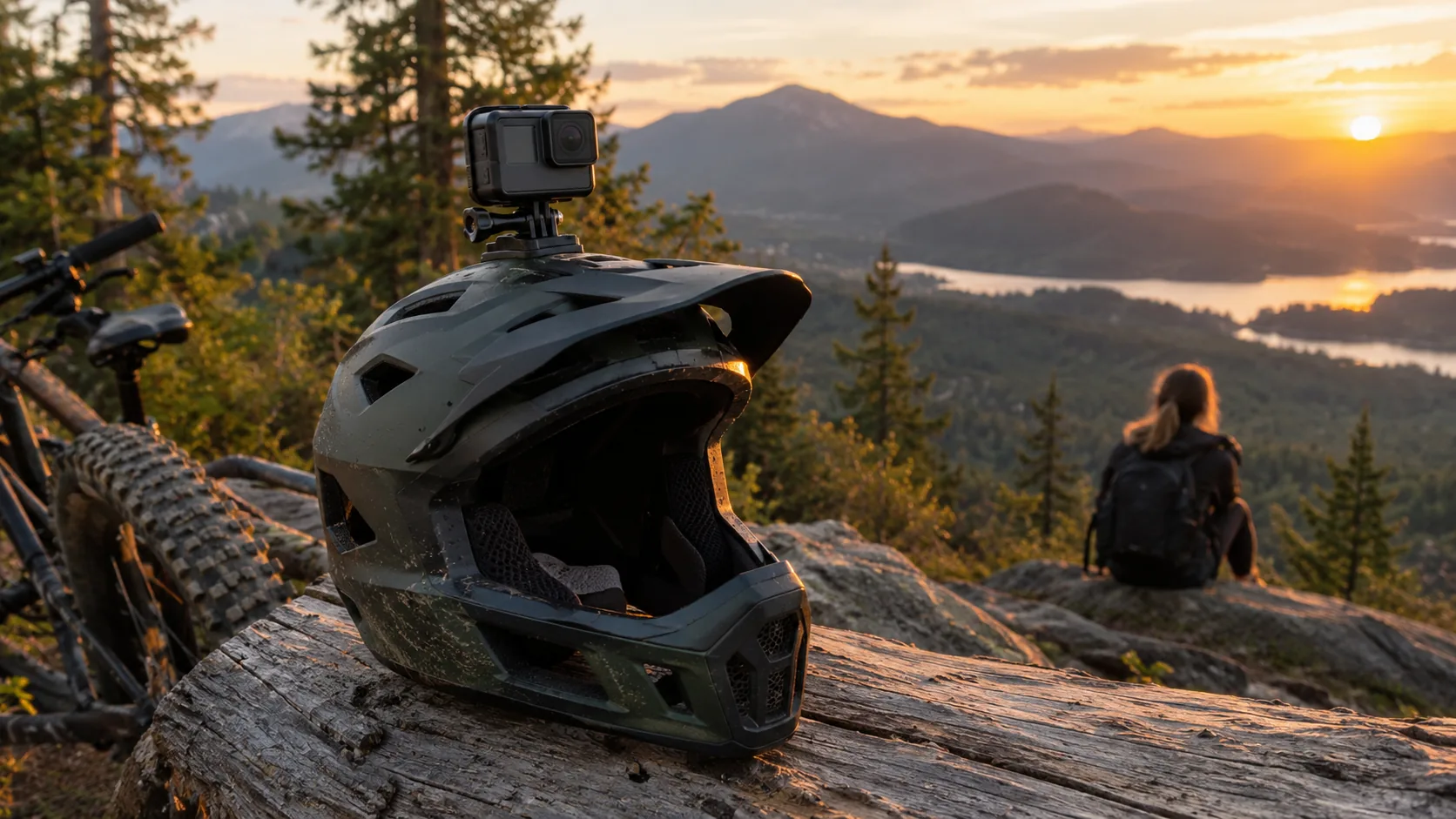
SummitLens is a helmet camera that records video in 4K and attaches with a clip-on universal mount, with no tools or adhesive. The mount is described for ski, bike, MTB and climbing helmets, so one mount can move between your different sports. It charges over USB-C, has 128GB of onboard memory and sends clips to your phone over Wi-Fi.
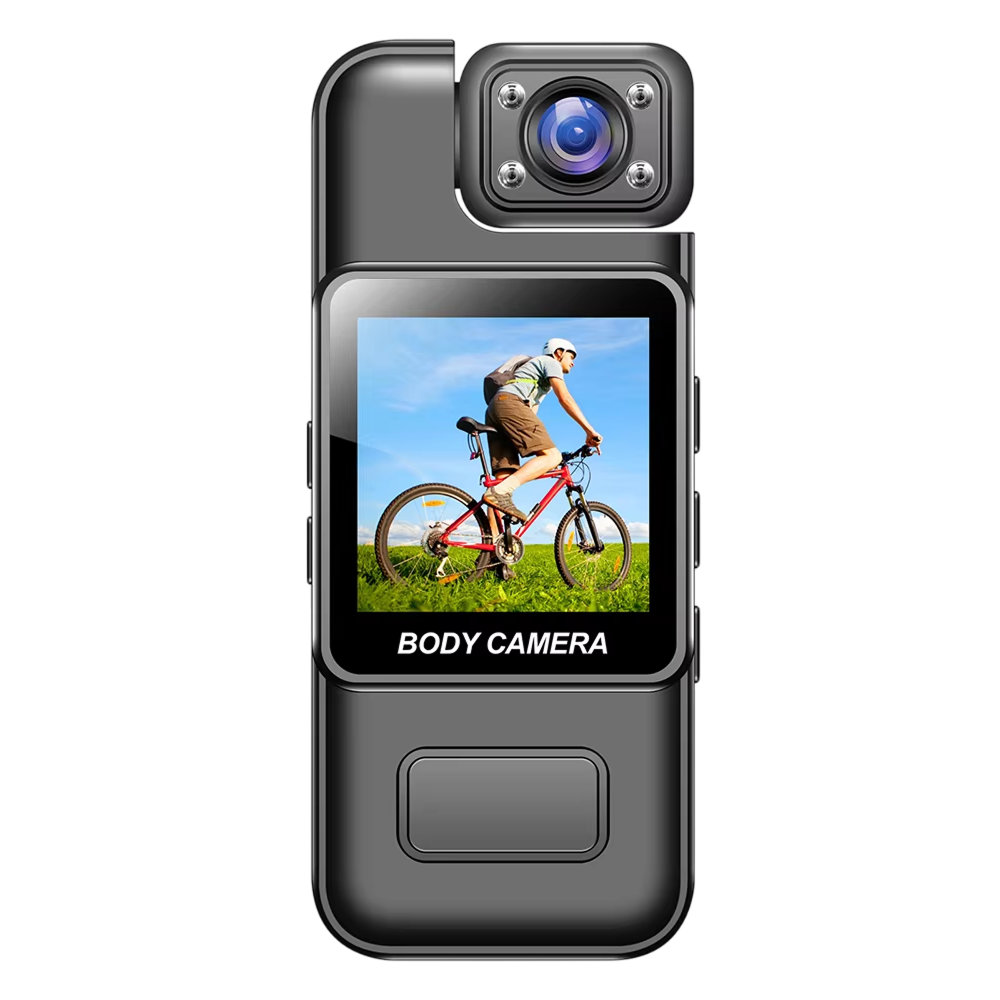 In this guideSummitLens$89.99View
How to make a POV video
A first-person video works when the viewer can follow what you are doing. Plan the clip around one action, then let the camera run.
- Charge the camera and check that it has free storage for the clips.
- Attach the camera with the mount you chose, and test the framing.
- Connect it to the companion app over Wi-Fi and preview the shot on your smartphone.
- Press record, then move at a natural pace. Fast head turns blur the footage.
- Record several short clips instead of one long take. Short clips are easier to trim later.
- Move the clips to your phone, cut the dead time and add a title or music if you want one.
Keep your hands in view when you can. The viewer reads your actions from them, which is the point of the POV style.
Field note
Film in your normal light first. A short daylight test clip shows you the framing and the mount position before you add a harder scene, such as a dim trail or a busy kitchen.

How to choose a POV camera
Match the camera to the way you will mount it, then check the list below. The same checks apply when you compare any action video camera or wearable POV camera.
- Video resolution: 4K gives you room to crop and reframe.
- Stabilization: look for it if you film rough ground, such as rocky trails or choppy water.
- Mount: confirm which mount fits your helmet or gear, and whether it needs tools.
- Storage: check whether the camera has onboard memory or needs a memory card.
- Phone link: Wi-Fi lets you preview and move clips with a companion app.
- Charging: USB-C means a common cable; check that one is included.
- Housing: a protective housing helps you pack the camera with other gear.
You can browse more options in our Action Cameras & POV collection. If you carry your camera on trips, our guide to traveling with a backpack shows how to pack gear in a carry-on pack.
Common POV filming mistakes
- Starting without checking free storage on the camera or card.
- Mounting the camera too low, so the frame shows mostly ground.
- Leaving a mount loose and finding the camera shifted mid-run.
- Starting a long take with a low battery instead of charging beforehand.
- Moving the head too fast, which blurs a helmet or head-mounted view.
- Skipping a test clip and discovering the framing problem at home.
Care and pre-trip routine
Charge the camera before you leave and pack the USB-C cable if you are away for a few days. Clean the lens with a soft cloth, store the camera with its housing, mount and cable so the set packs together, and check each mount for wear before you attach it. Follow the manual for cleaning and for any use near water.